
💳 Payment Options & How to Pay
Choose your package, select a payment method at checkout, complete your payment, and watch for your Elite Media setup email.
⚠️ Important Payment Safety
For Zelle and Cash App, always confirm the payment recipient displayed during checkout before sending money.
Payment handles and email addresses can change. If the checkout page shows different payment information than this guide, stop and contact Elite Media Support before sending payment.
How Your Order Works
Choose Package
Select the Elite Media package or service you want.
Checkout
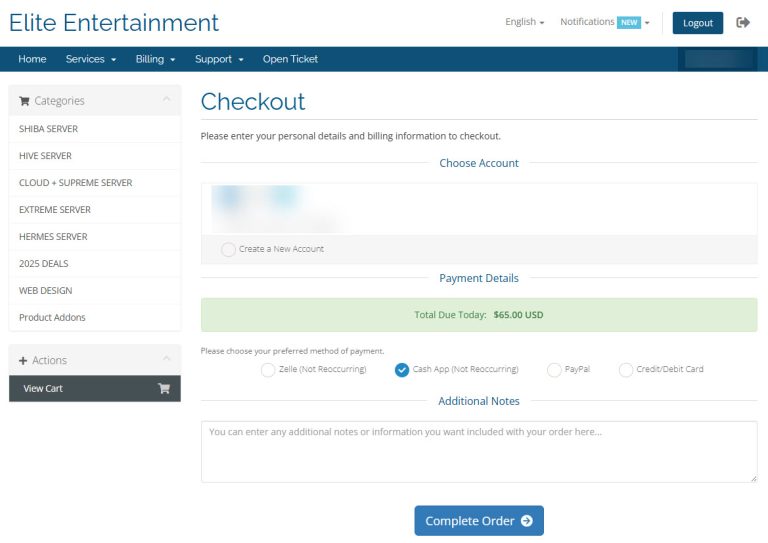
Enter your information and choose a payment method.
Pay
Complete the payment using your selected method.
Confirmation
Your order updates after payment is received and verified.
Check Email
Receive your login, app and setup instructions.
Which Payment Method Should I Use?
💳 Credit / Debit Card
Processing: Automatic
Your action: Pay directly at checkout.
Best for: Fastest and simplest checkout.
🅿️ PayPal
Processing: Automatic
Your action: Complete payment through PayPal.
Best for: Customers who prefer PayPal checkout.
🏦 Zelle
Processing: Manual verification
Your action: Send exact payment, include invoice number, then click I HAVE PAID.
💵 Cash App
Processing: Manual verification
Your action: Send exact payment, include invoice number, then click I HAVE PAID.
| Payment Method | Processing | What You Need to Do |
|---|---|---|
| Credit / Debit Card | Automatic | Pay at checkout |
| PayPal | Automatic | Complete PayPal checkout |
| Zelle | Manual | Send payment → Include invoice number → Click I HAVE PAID |
| Cash App | Manual | Send payment → Include invoice number → Click I HAVE PAID |
💳 Credit / Debit Card
Select Credit / Debit Card at Checkout
Choose the card payment option when completing your order.
Enter Your Card Information
Enter the requested billing and card information securely at checkout.
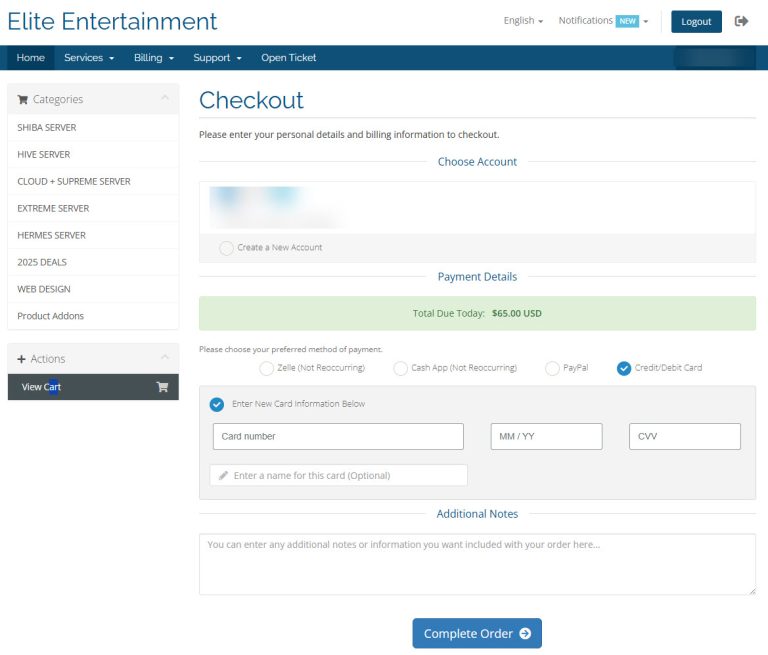
Complete Your Order
Submit the payment and wait for your order confirmation.
✅ No Extra Payment Steps
Card payments are processed automatically. After your order is processed, check your email for your Elite Media service and setup information.
🅿️ PayPal
Select PayPal
Choose PayPal as your payment method during checkout.
Click Pay With PayPal
Continue to PayPal and complete your payment.
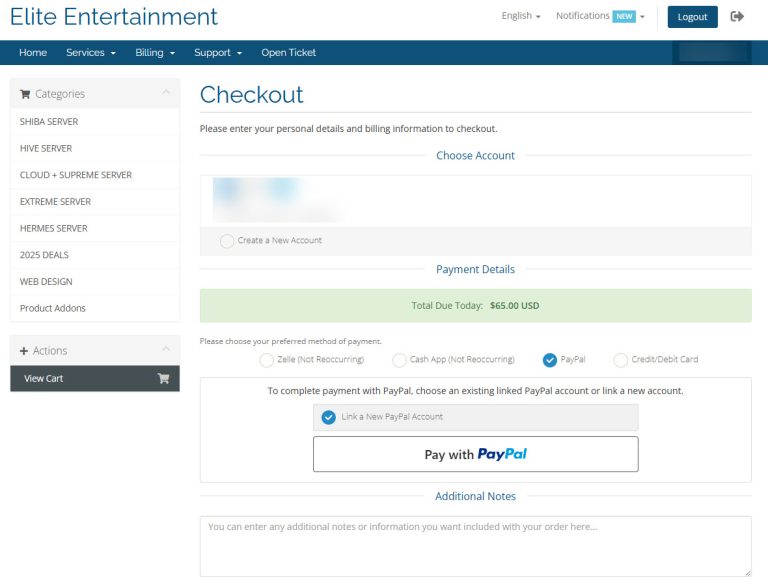
Return to Elite Media Shop
Return to the Elite Media checkout and complete your order if prompted.
✅ PayPal Payment Is Automatic
Your service information will be sent to the email address associated with your Elite Media order after processing.
🏦 Pay With Zelle
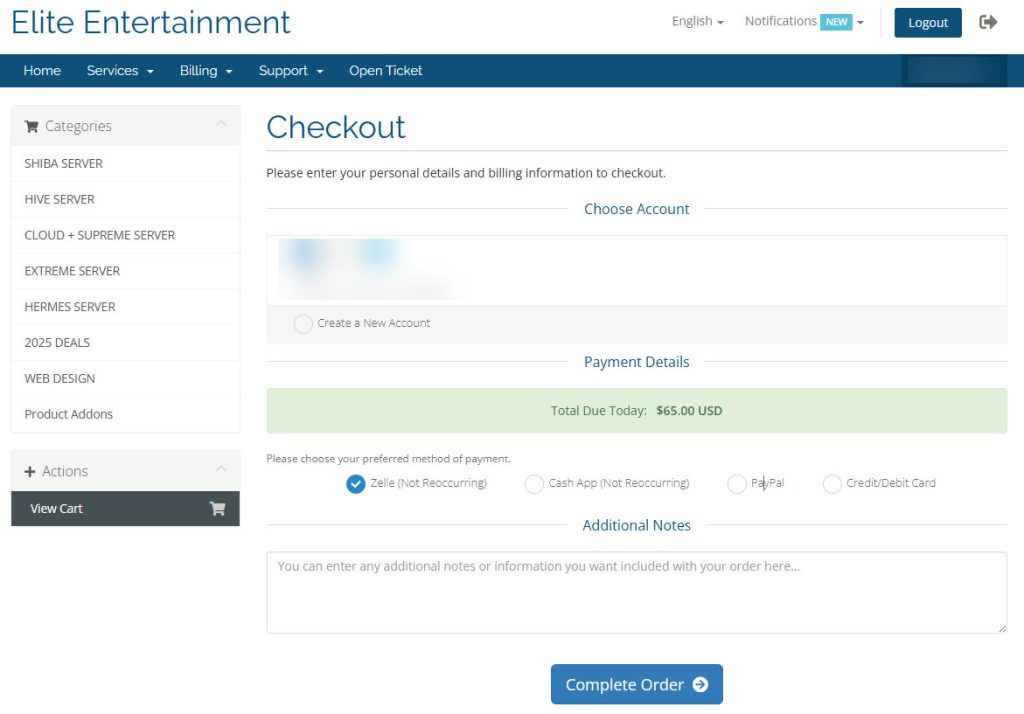
Open Zelle
Open Zelle through your participating bank or credit union.
Send the Exact Order Amount
Do not round the amount or send a different total. Use the exact amount shown on your Elite Media invoice.
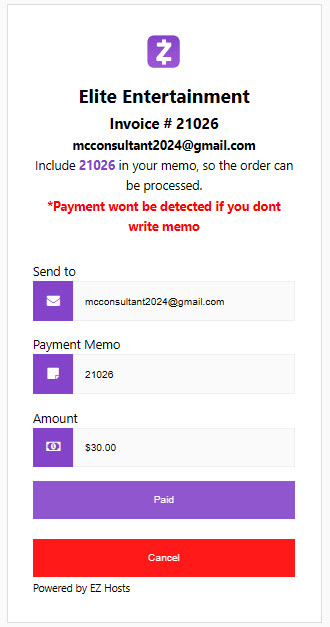
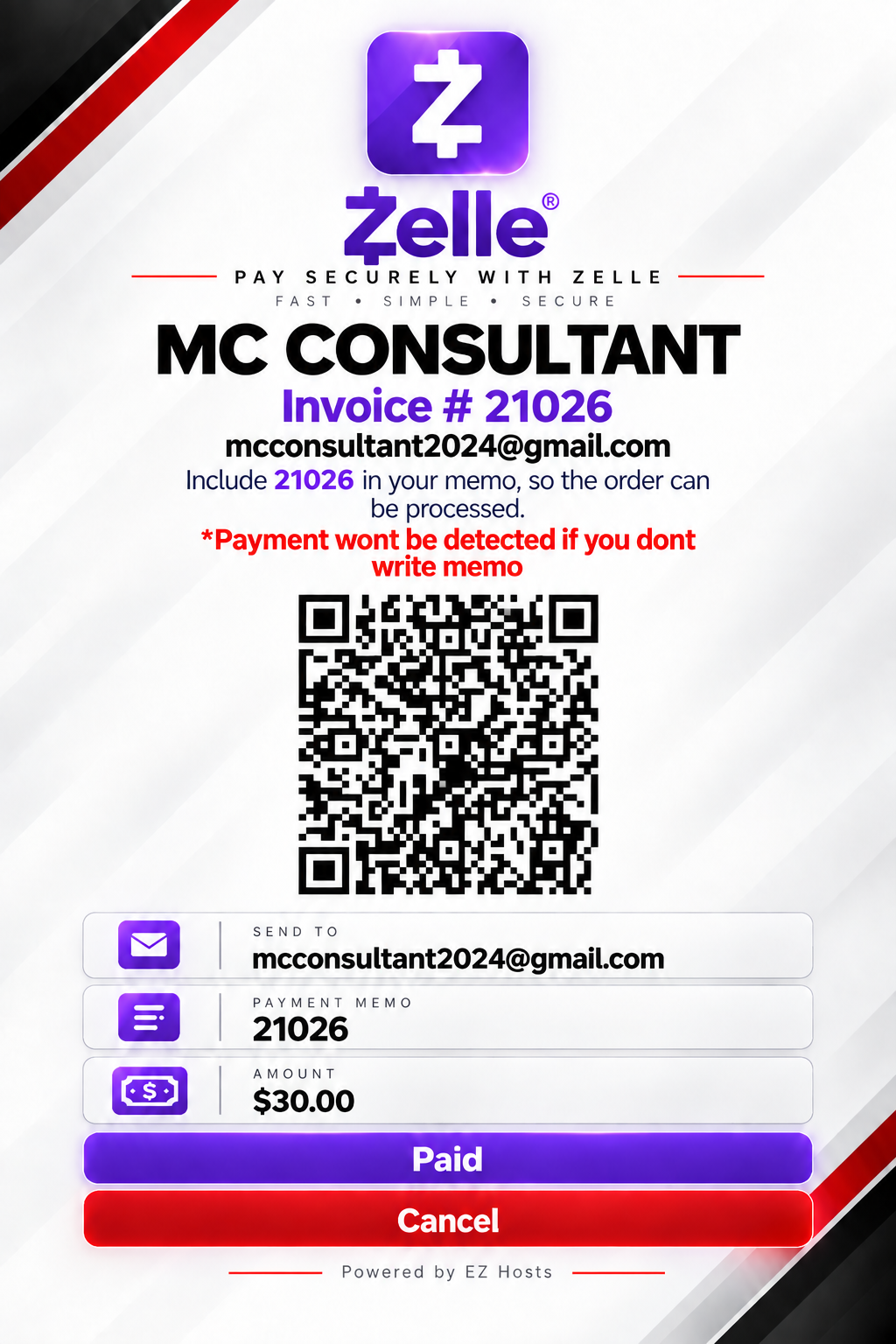
Add Your Invoice Number
Put your Elite Media invoice number in Zelle’s memo/note field.
Invoice #12345
Send the Payment
Review the recipient, exact amount and invoice number before sending.
Return to Your Elite Media Order
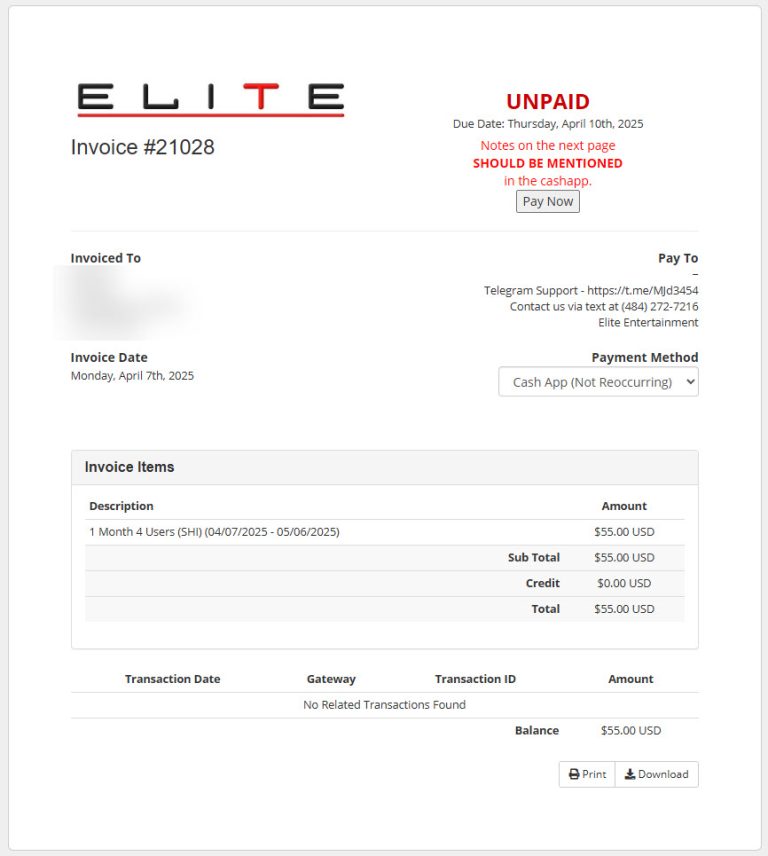
Go back to the invoice/order page after sending your payment.
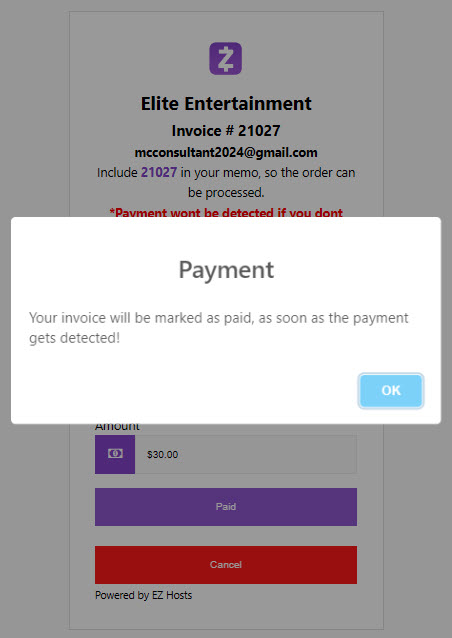
Wait for Payment Verification
Elite Media will verify the payment and update the invoice status to PAID. Manual verification may take up to 3 hours during busy periods.
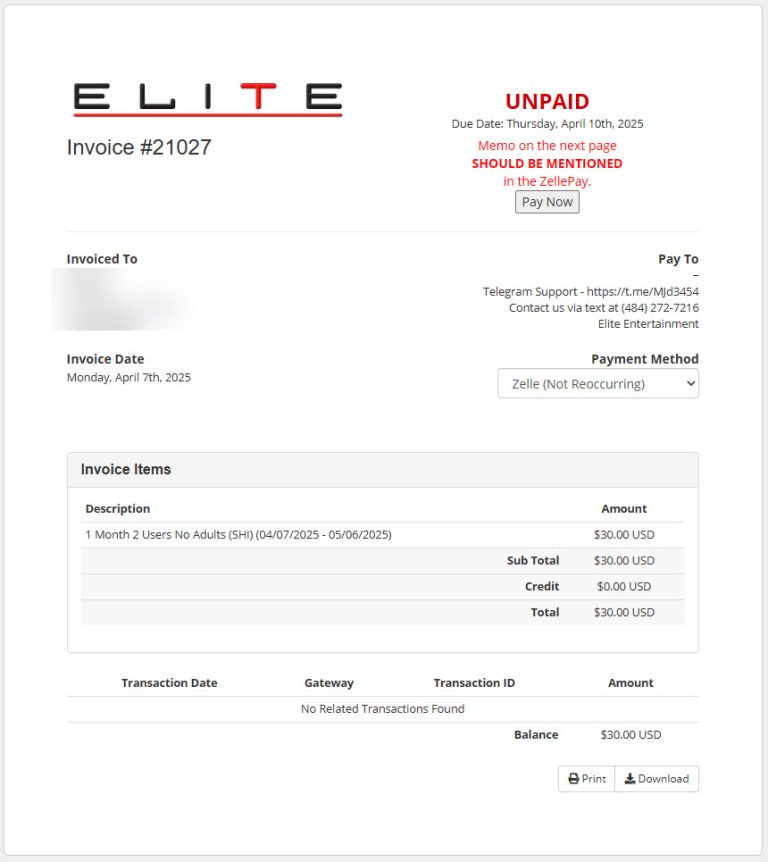
Refresh the invoice page after some time, or wait for the Elite Media confirmation/setup email.
💵 Pay With Cash App
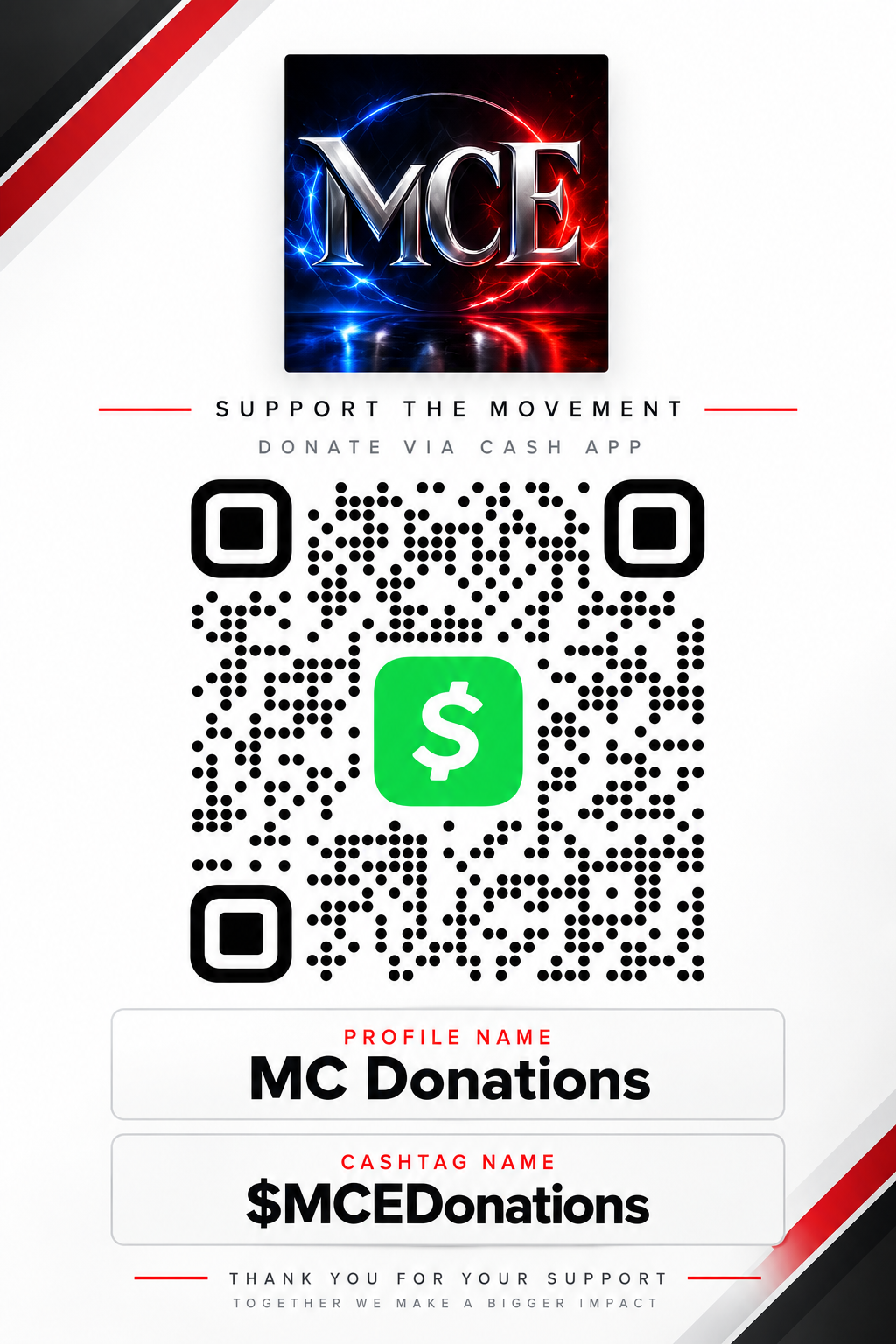
Open Cash App
Open Cash App on your phone or compatible device.
Enter the Exact Order Total
Use the exact amount shown on your Elite Media invoice.
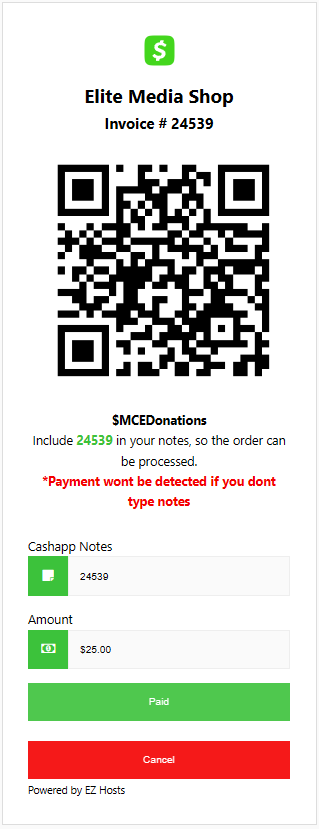
Add Your Invoice Number
Enter your invoice number in the Cash App note/message field.
Invoice #12345
Send Payment
Double-check the $Cashtag, exact amount and invoice number, then send the payment.
Return to Your Elite Media Order
Go back to the invoice/order page after the Cash App payment is sent.
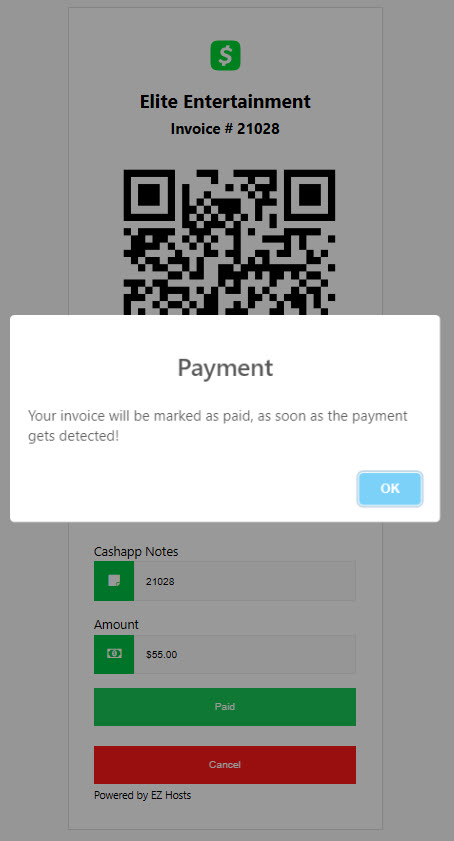
Wait for Verification
Elite Media will verify the payment and update the invoice to PAID. Manual verification may take up to 3 hours during busy periods.
📧 What Happens After You Pay?
After your payment is confirmed and your order is processed, check the email address used for your Elite Media order.
Login Information
Your service username and password.
App Instructions
Download or installation information.
Setup Details
Instructions for getting your service running.
Additional Information
Anything else required for your specific order.
Check your Spam, Junk and Promotions folders.
💬 Need Payment Help?
Have your invoice number ready when contacting Elite Media Support.
For faster help, include:
✔ Invoice number
✔ Payment method used
✔ Amount sent
✔ Approximate time payment was sent
✔ Screenshot or transaction confirmation if requested
Payment methods, recipient information and processing times can change. Always follow the current payment information displayed during Elite Media checkout.